 Packet Patch
I Have, Who Has?
Every child holds a printed card, and the chain goes once around the whole class.
For elementary school, grades 1–4
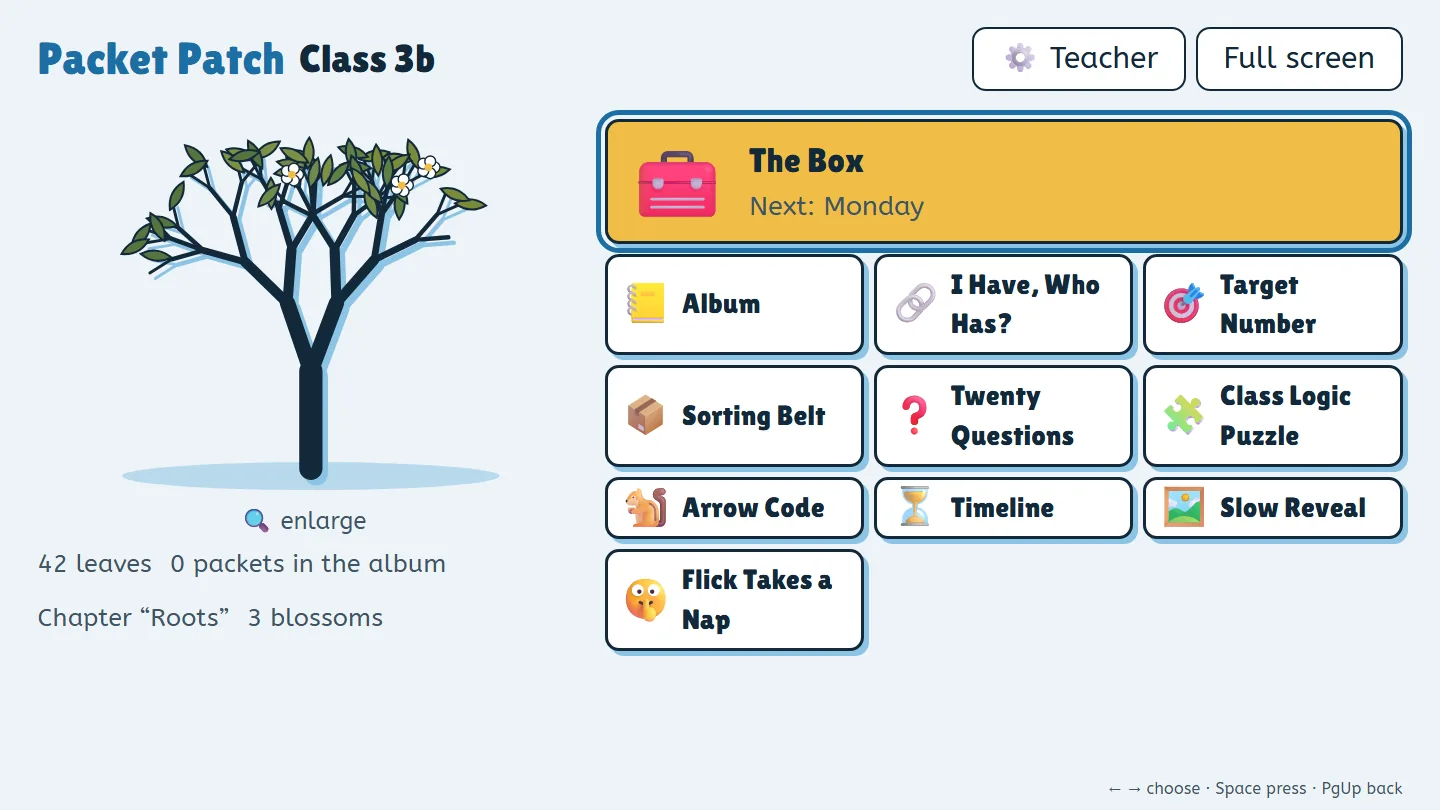
Packet Patch runs on your projector or interactive display. Five-minute games and one puzzle box a week help a shared class tree grow – and the whole class plays together.
Free, no sign-up, right in your browser.
Five minutes a day
At the start of class, before recess, or with a sub: a lock takes a few minutes, and the class solves it together.
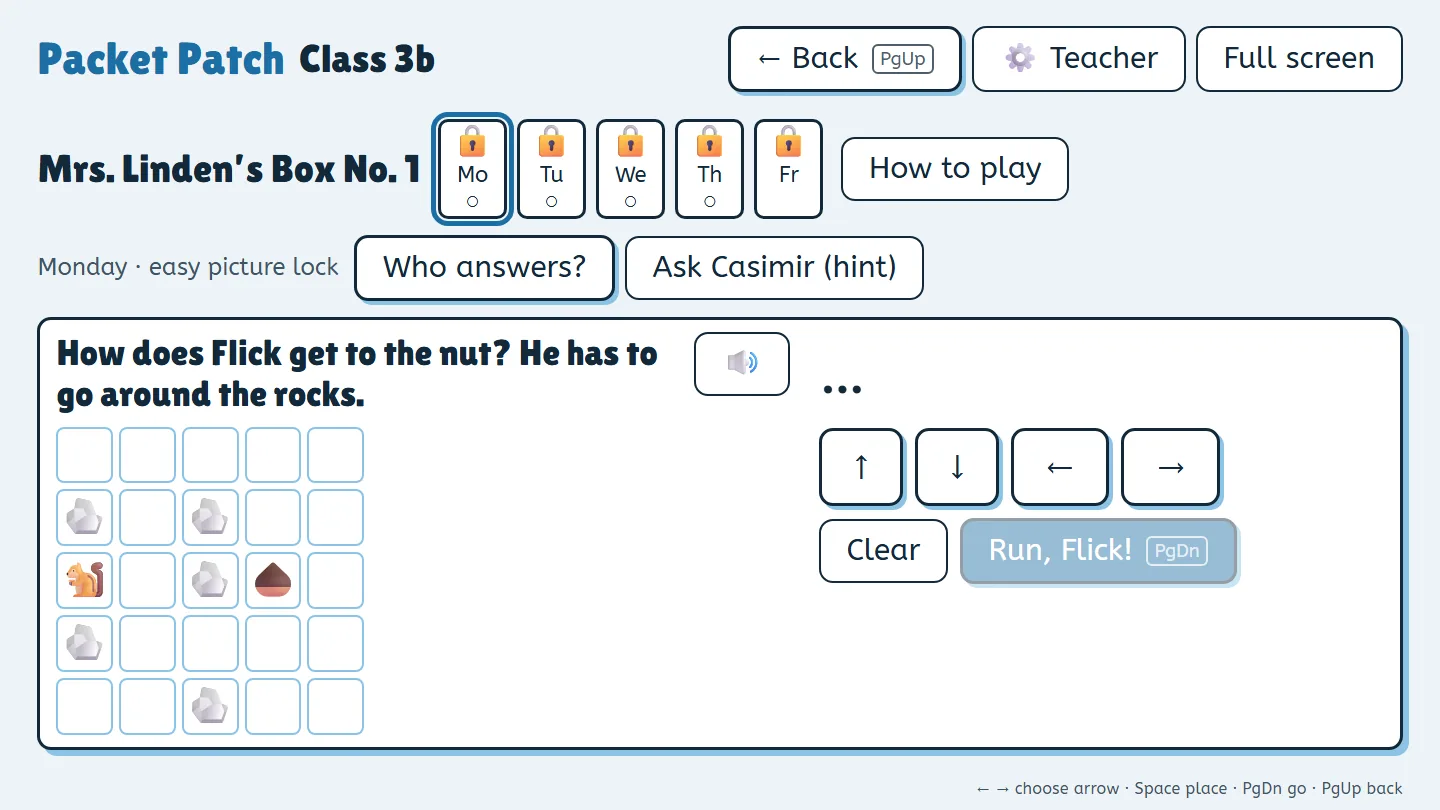
The class opens an easy picture lock and the lock of the day: counting, patterns, finding a path, math, and logic – matched to the grade. Every lock gives the class a clue.
On Friday, the class needs every clue from the week to open the box. How the clues fit together changes every week.
Every box you open puts a seed packet in the class album and a fruit on the tree. Every game the class finishes together gives the tree a leaf. Nothing wilts, and nothing is ever taken away.
Missed days don’t cost anything. In the teacher menu, choose one lock a day, up to three in a row, or the whole box at once.
One click to start
All with ready-made content for grades 1–4. The whole class plays as one group; after some think time, the table wheel picks who answers.
Every child holds a printed card, and the chain goes once around the whole class.
A few number cards, one target – who can find a way to get there?
Pictures and words come down the belt, and the tables sort them into the right group.
Only yes-or-no questions – what is it?
Read the clues out loud, check them, and fill in the chart together.
Put down arrow cards – then Flick runs and picks up acorns.
What comes first, what comes next? Put the cards in the right order.
A picture shows up one tile at a time, and after each tile, one table can guess.
Work quietly so Flick keeps sleeping. Only the noise level is measured – nothing is recorded.
The story
The class takes over a young tree and the locked seed boxes of Mrs. Linden, the school gardener. The goal: by summer, a tree that grows its own seeds. For each chapter, Mrs. Linden writes a short letter to read aloud – always with a P.S.
Mrs. Linden writes the letters and packs the boxes.
Flick the squirrel hides keys and forgets where.
Casimir the crow helps when a lock gets stuck and counts everything shiny.
Six chapters with six weekly boxes each. Chapters follow the boxes you open, not the calendar – so breaks and snow days never put anyone behind.
Dear Class,
This little tree is yours now. I cared for it for years, but a tree needs many hands.
My seed box is next to it. Its five locks keep Flick the squirrel out.
Open it lock by lock. Then you get a seed packet for your album.
Your friend, Mrs. Linden
P.S. Flick has already hidden a key.
Privacy
Packet Patch is built so that we never learn anything about your class.
One exception is up to the browser: if the device has no built-in voice for reading aloud, the browser may send the text to its maker’s speech service. You can turn reading aloud off. Details – including FERPA and COPPA – are in the privacy policy.
Pay once, no subscription
The free version is enough for a whole school year of games. The full version opens every weekly box and the whole story.
$0
$19.99 one-time
Your license key arrives by email, usually within minutes, and unlocks the app right away – no account needed.
Clicking opens Paddle’s checkout, which loads content from Paddle (privacy).
The checkout couldn’t load just now. Please try again later or email lizenz@wunderkammer-apps.de (purchases and license keys).
Sold through Paddle.com as our reseller (Merchant of Record). Taxes are calculated at checkout. 14-day money-back guarantee, no questions asked.
Buying with school funds? Paddle, our reseller, emails a receipt for every purchase that you can hand in for reimbursement. We can’t accept purchase orders (POs) yet, and as a business based in Germany we can’t fill out a W-9. If your school needs another way to pay, email lizenz@wunderkammer-apps.de and we’ll look for a solution together.
See our terms of use and refund policy.
One device at the front of the room, connected to your projector or interactive display: a laptop, iPad, Chromebook, or the display’s own browser – with an up-to-date Chrome, Edge, Firefox, or Safari. The children don’t need any devices. Step by step: Getting Packet Patch into your classroom.
For “I Have, Who Has?”, the app prints the cards (eight cards per page).
Yes. After your first visit, the browser keeps a copy of the app, and it works offline. You can also install it like an app (“Install app” or “Add to Home Screen”).
Yes. The weekly box and the games work with the arrow keys, the space bar, and Page Up/Page Down – so most presenter remotes work too. A mouse or touch screen works as well.
Yes – free, with as many classes as you like. Each class gets its own tree, album, and weekly boxes. The full version covers all of your classes.
After you buy, your license key arrives by email, usually within minutes. Enter it in the app under ⚙️ Teacher → Unlock on each device you use for teaching. The key is checked on the device only – no account, no internet.
Your data is stored in the device’s browser. Each class has a class key (25 characters) that restores the tree and album on another device. “Back up all classes” also saves a file with everything, including class records. If you like, turn on the short code for a class: then 8 characters are enough to bring it back on an erased device (needs internet).
If the browser’s site data is cleared, everything is gone unless you have the class key or a backup – that’s why the app reminds you to back up. Some school devices and panels clear browser data when you sign out; see Don’t lose your tree.
Not yet. Paddle, our reseller, takes cards and other common payment methods and emails a receipt you can use for reimbursement. If your school needs another way to pay, email lizenz@wunderkammer-apps.de.
Packet Patch never receives student information: no student logins, no names, no answers or scores for individual students, and the class data stays in the browser on your device. Read the details in our privacy policy.
After the first visit, the app works offline, and the license key is checked on the device only – there’s no online check that could be switched off. If we ever discontinue Packet Patch, we’ll announce it here and make the last version available for download.
Yes. On first start, choose “Just try it” for a guest class. To set up your own class, enter a short class name and the grade – no names, no account.
Yes, as “Samenkiste” for German elementary schools: samenkiste.wunderkammer-apps.de. Either version can switch languages in the teacher menu.